 GuidePlugin Docs
Guides
Combine filters into complete guided experiences that help users find exactly what they're looking for.
Guides are the complete user experience that combines multiple filters into a step-by-step journey. They're the main component that brings together all your facets, filters, designs, and templates.
Guide Components
| Component | Purpose | Required |
|---|---|---|
| Filters | Step-by-step user questions | Yes |
| Design | Visual appearance and layout | Yes |
| Template | How results are displayed | Yes |
| Logic | Conditional filter behavior | Optional |
Creating a Guide
Navigate to Guide Creation
Go to GuidePlugin > Guides > Create in your WordPress admin.
Configure Introduction Text
Set up the welcome message users see before starting:
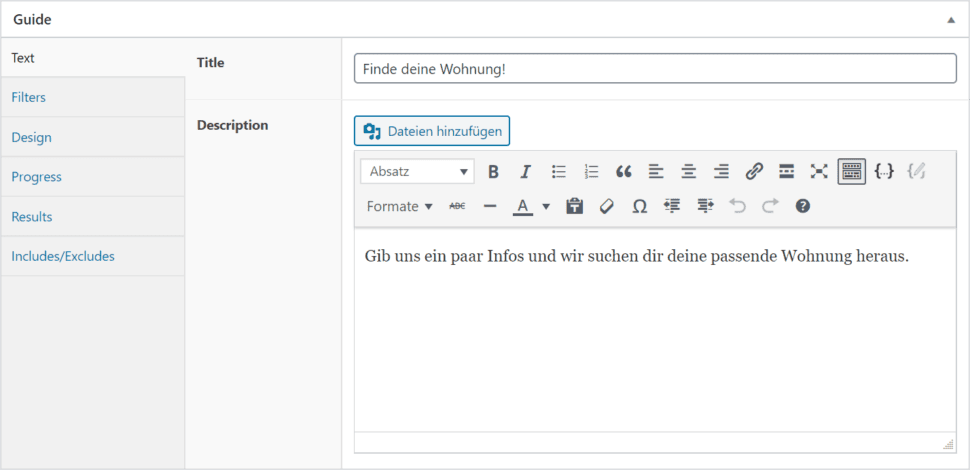
| Field | Purpose | Example |
|---|---|---|
| Title | Guide headline | "Find Your Perfect Product" |
| Description | Brief explanation | "Answer a few questions to get personalized recommendations" |
Select Filters
Choose which filters appear in your guide and their order:
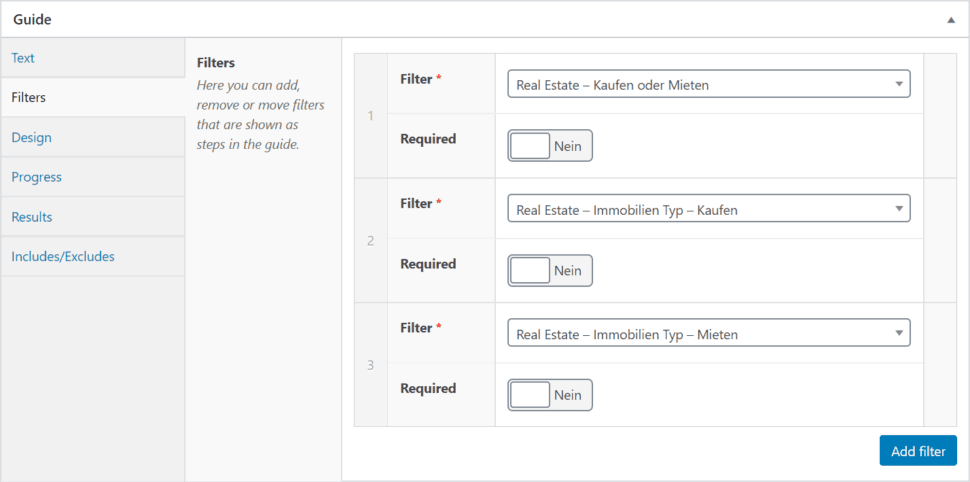
Filter Organization Tips:
- Start with broad categories, then narrow down
- Keep total steps under 5-7 for best completion rates
- Consider logical user decision flow
Choose Design
Select how your guide looks in the frontend:
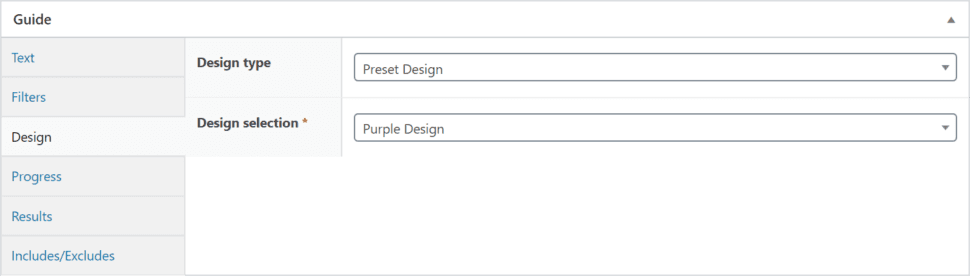
| Option | When to Use |
|---|---|
| Existing Design | Use proven layouts across multiple guides |
| Custom Design | Create unique look for specific guide |
Configure Progress Display
Set up loading screens and progress messages:
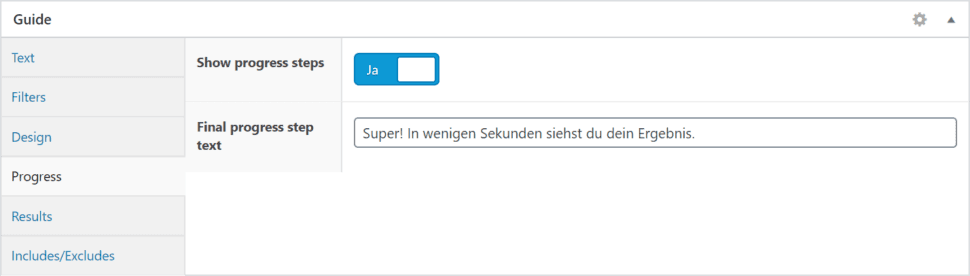
| Setting | Purpose |
|---|---|
| Show Progress Modal | Display loading screen during search |
| Final Message | Thank you message after completion |
Set Up Results
Configure where and how results are displayed:
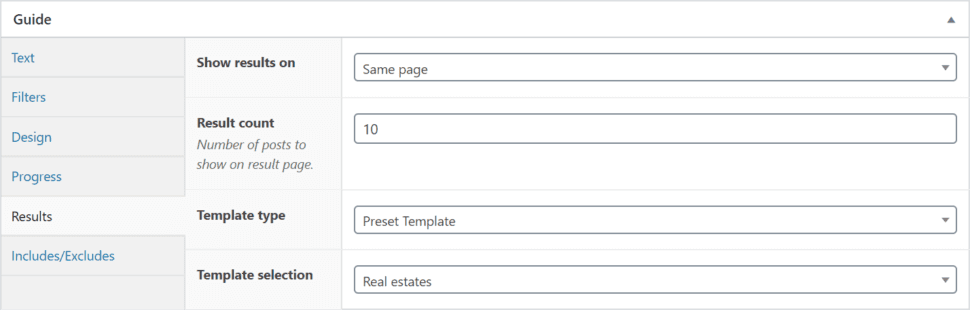
| Setting | Description |
|---|---|
| Results Per Page | How many items to show initially |
| Result Template | Which template to use for display |
| Target Container | Where results appear on page |
Include/Exclude Content
Fine-tune which content appears in results:
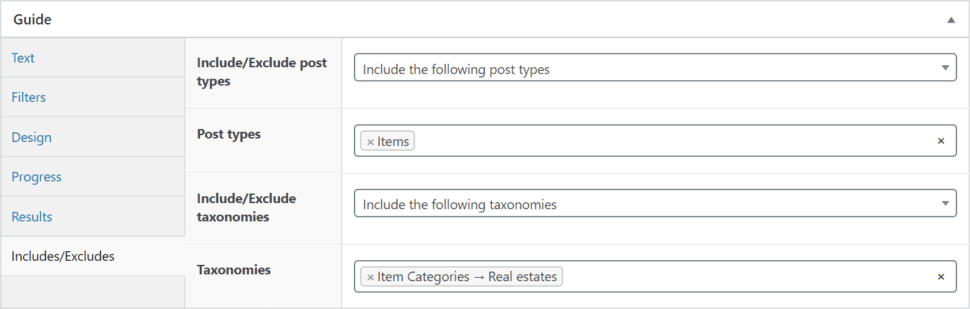
Content Filtering Options:
- Post Types - Include specific content types
- Taxonomies - Include/exclude categories or tags
- Custom Criteria - Advanced filtering rules
Best Practice: Test your guide thoroughly before going live. Walk through the entire user journey to ensure smooth experience.
Guide Configuration Best Practices
| Aspect | Recommendation | Impact |
|---|---|---|
| Filter Count | 3-5 filters maximum | Higher completion rates |
| Introduction | 1-2 sentences max | Reduces abandonment |
| Progress Feedback | Always show progress | Builds user confidence |
| Result Quantity | Start with 6-12 results | Prevents overwhelming users |
Common Configuration Issues
| Problem | Symptoms | Solutions |
|---|---|---|
| No Results | Guide completes but shows nothing | Check include/exclude settings Verify filter-facet connections Ensure content exists for combinations |
| Too Many Results | Results aren't specific enough | Add more filters Refine facet granularity Review filter logic |
| Poor User Flow | High abandonment rates | Simplify filter questions Reduce total steps Improve introduction clarity |
| Slow Performance | Guide takes too long to load | Optimize facet indexing Reduce complex filter combinations Use efficient templates |
Displaying Your Guide
Once created, add your guide to pages using:
| Method | Code | Use Case |
|---|---|---|
| Shortcode | [guideplugin id="123"] | Simple page embedding |
| Widget | GuidePlugin Widget | Sidebar or footer placement |
| PHP Function | do_shortcode('[guideplugin id="123"]') | Theme integration |
Next Steps
| Component | Purpose | Link |
|---|---|---|
| Designs | Customize guide appearance | Learn More → |
| Templates | Style result displays | Learn More → |
| Logic | Add conditional behavior | Learn More → |